Production AI Agent Approval
Approve production AI agents safely
Before an AI agent gets or keeps production access, know what it can reach, who owns it, what it has done, and whether the evidence supports Approve, Constrain, Reject, or Unknown.
Request a walkthroughSecurity owns the approval risk.
Business and platform teams are deploying AI agents into Microsoft, cloud, identity, data, workflow, SaaS, and SOC systems. Security is asked to approve or reduce access before the reachable systems, owner, observed behavior, and impact are clear.
Existing tools show configuration, posture, or logs. The approval decision needs intended behavior, configured access, observed execution, ownership, and expected impact in one place.
What you see before approval
Built for real agent rollouts.
- → AI agents moving into production across Microsoft 365, Copilot, Foundry, cloud agents, ITSM, Jira, ServiceNow, identity, data, SaaS, SOC, and internal platform environments
- → Security teams asked to approve agent access without clear reach, ownership, observed behavior, or impact
- → Internal teams, consultants, or platform owners deploying AI agents into customer-controlled systems
Approve access when the evidence supports it. Constrain or reject access when it does not. Mark it Unknown when evidence is missing.
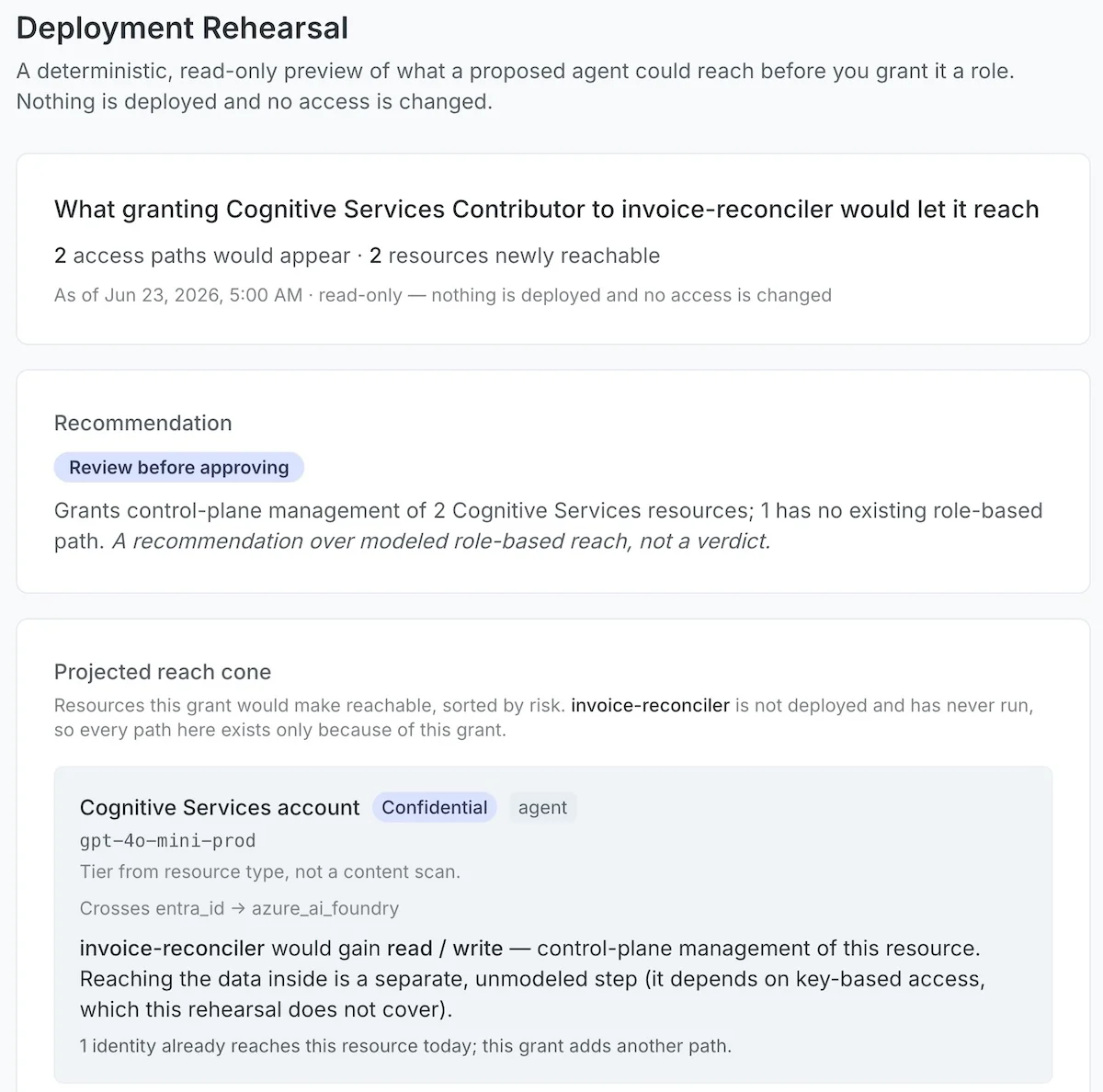
Rehearse access cuts before removing permissions.
See which identities, systems, workflows, and data domains may be affected before access is reduced or removed. Reduce risk without blindly disrupting production.
Route the right response.
Route owner review, SOC enrichment, access reduction, or approved access workflows with the evidence attached.
Findings your team can act on immediately.
Decision-ready action groups
Related findings grouped by agent, identity, workflow, affected system, owner, and remediation path.
Approval context
See intended behavior, configured access, observed execution where available, calculated impact, ownership, and outcome.
Workflow-ready format
Structured for handoff into ServiceNow, Jira, Sentinel, Defender, Splunk, identity, or owner workflows.
Security-ready summary
Concise runtime context for security leadership, risk review, audit, and remediation owners.
Approve with production evidence.
Know what the agent can reach, what it has done, who owns it, and which outcome the evidence supports.
Request a walkthrough